Introduction
Accurate time tracking is essential for payroll and workforce management. This guide walks you through the process of reviewing time card statuses, identifying exceptions, and resolving errors in Oracle Cloud to ensure a smooth approval process.
This Blog provides clear and detailed instructions on reviewing time card statuses, identifying time exceptions, and addressing other worker-specific exceptions to ensure a smooth and seamless approval process.
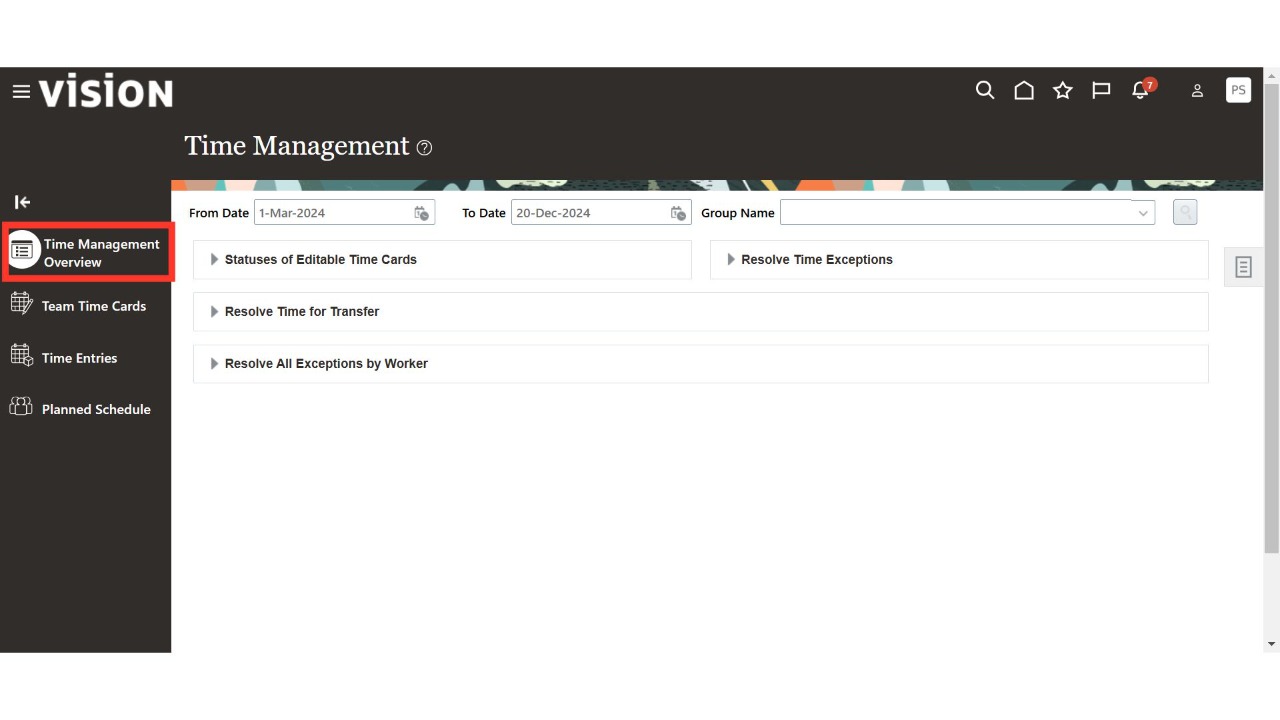
Navigate to the Time Management sub-menu available under the My Client Group menu on the Oracle home page.
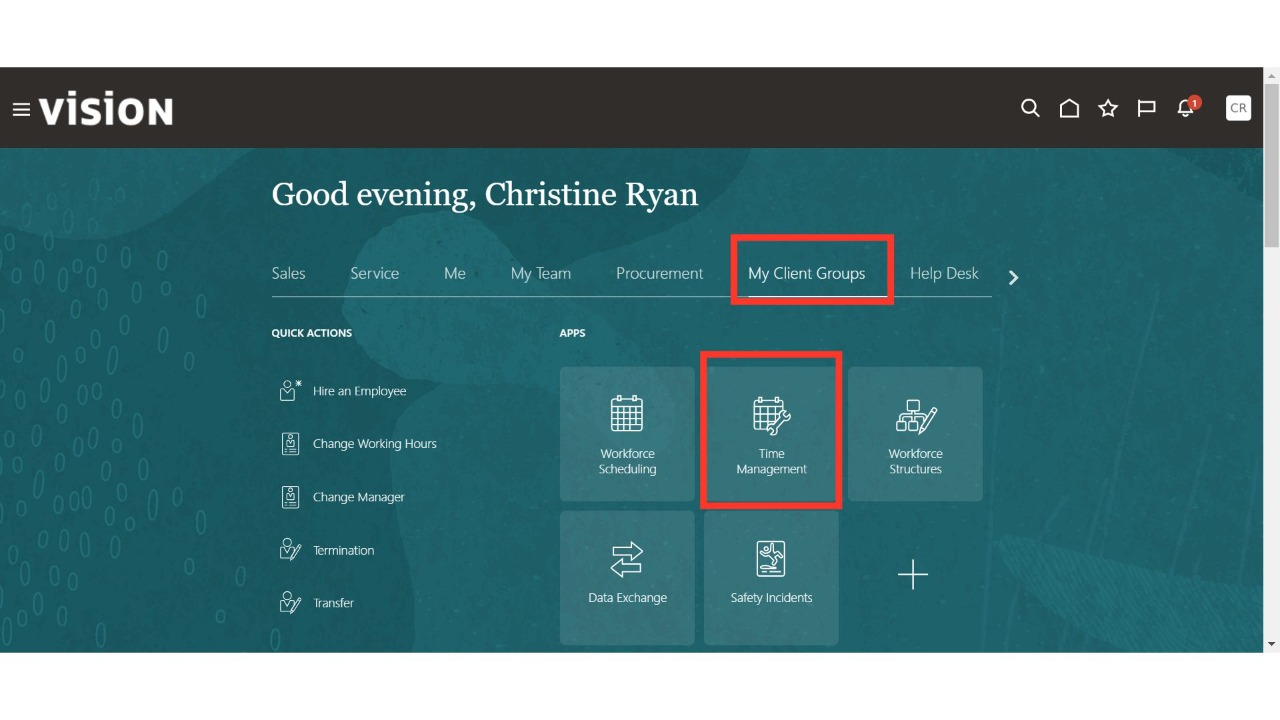
Click on the Team Management Overview section.
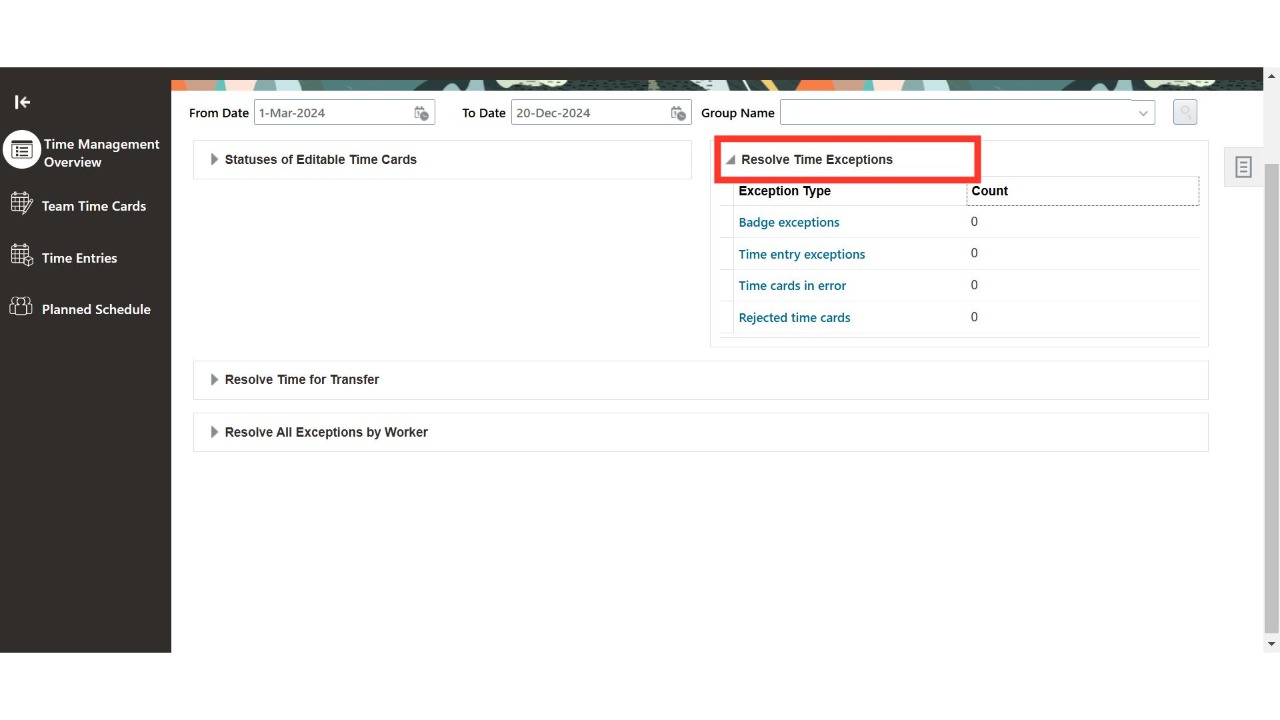
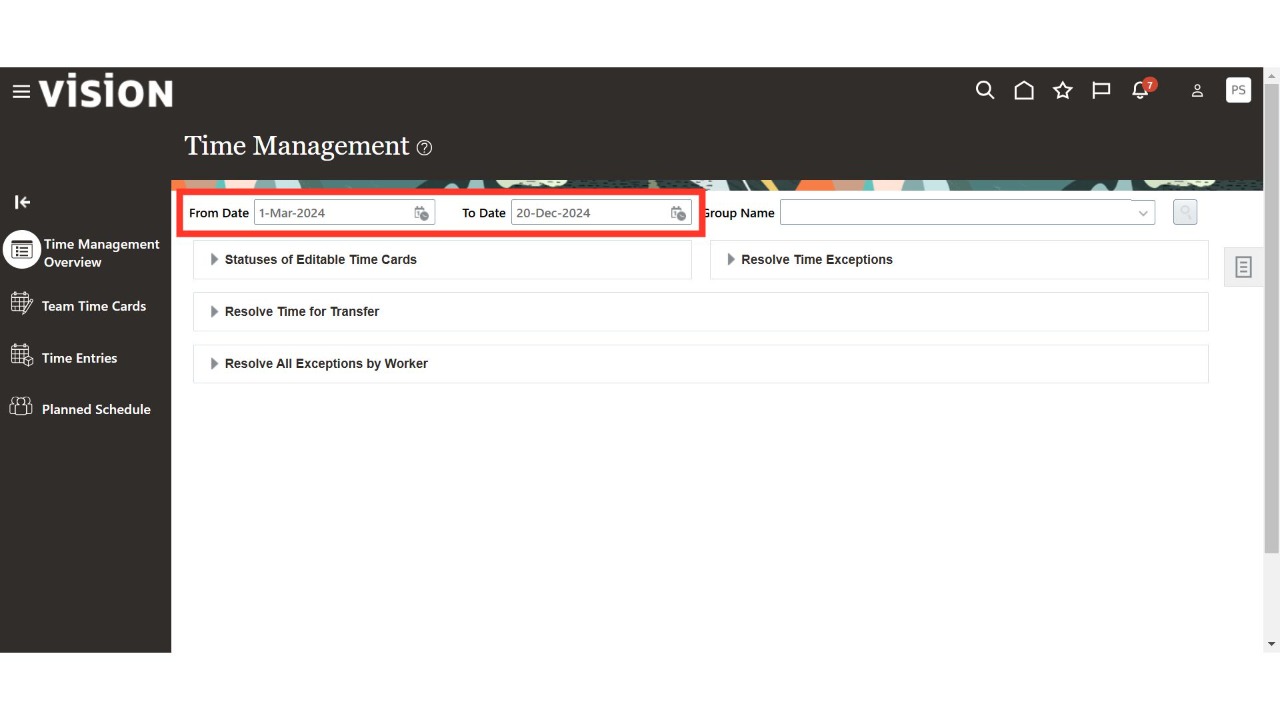
Select the time period to view the details below.
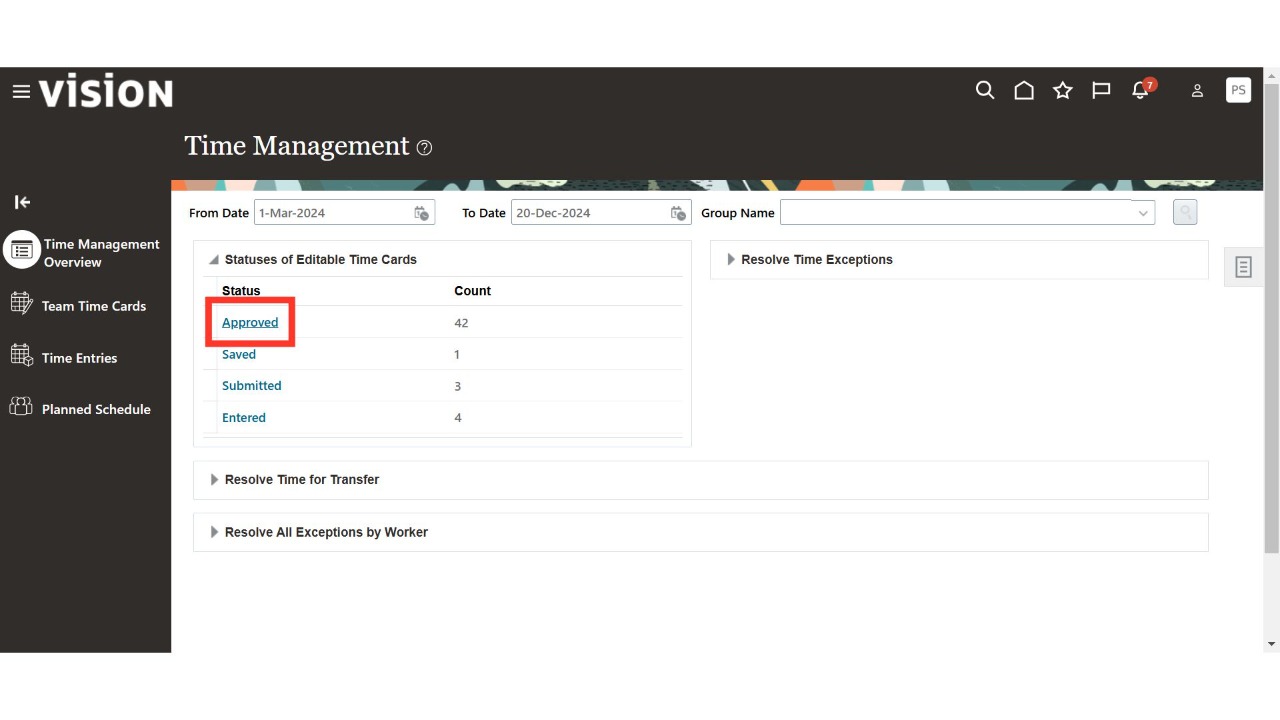
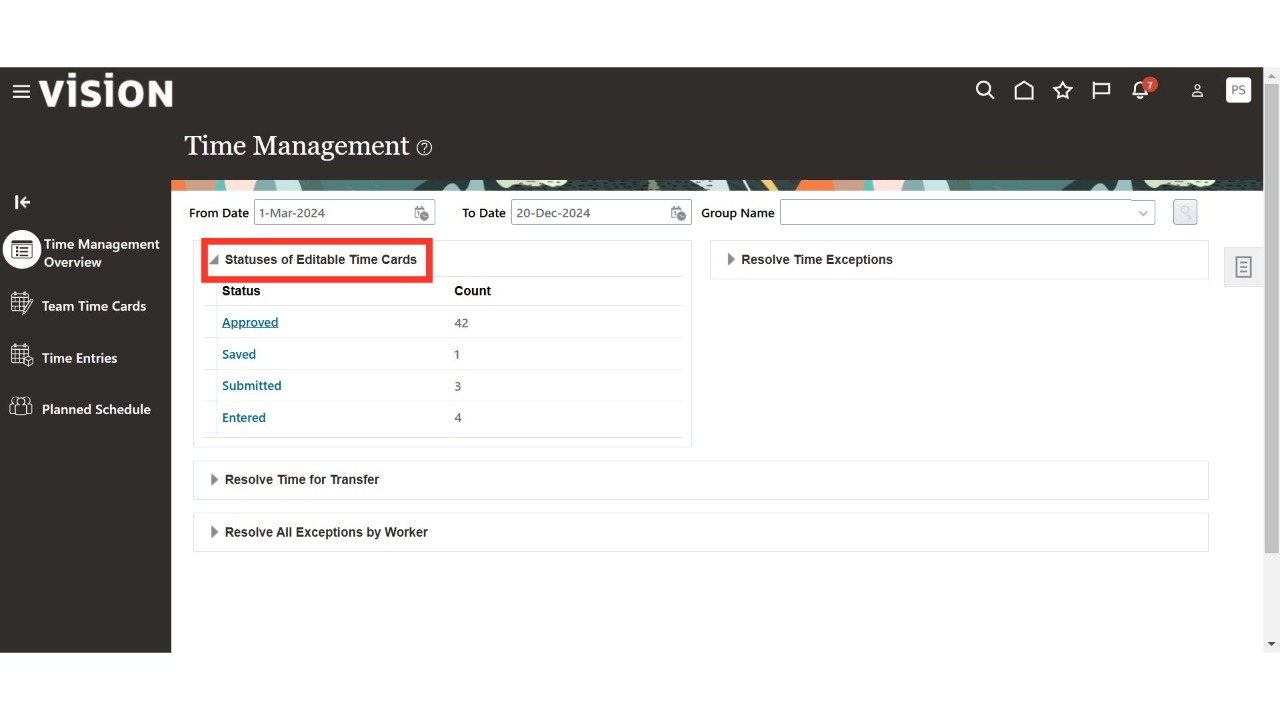
Review the count of time card statuses such as Approved, Entered, Saved, and Submitted.
Click on the hyperlink for the desired status to view the corresponding time card details for the selected period. Repeat the same steps to check other statuses.
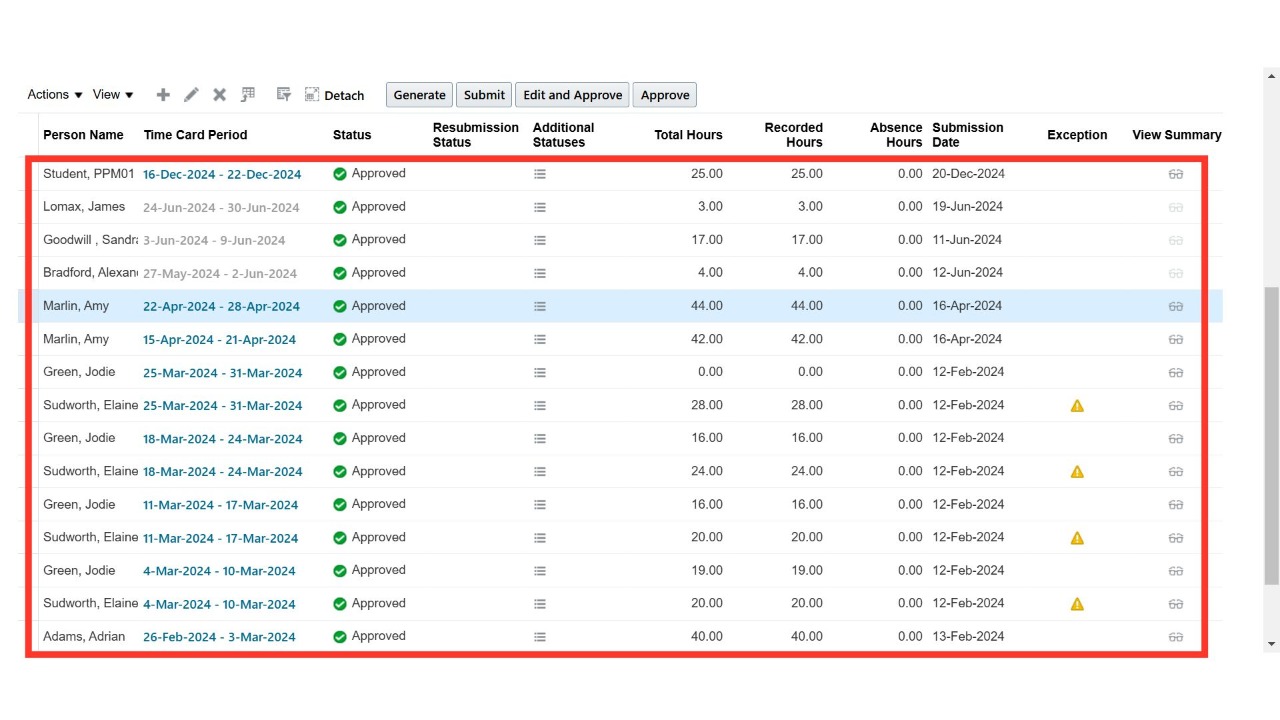
View the details of approved time cards for the selected period.
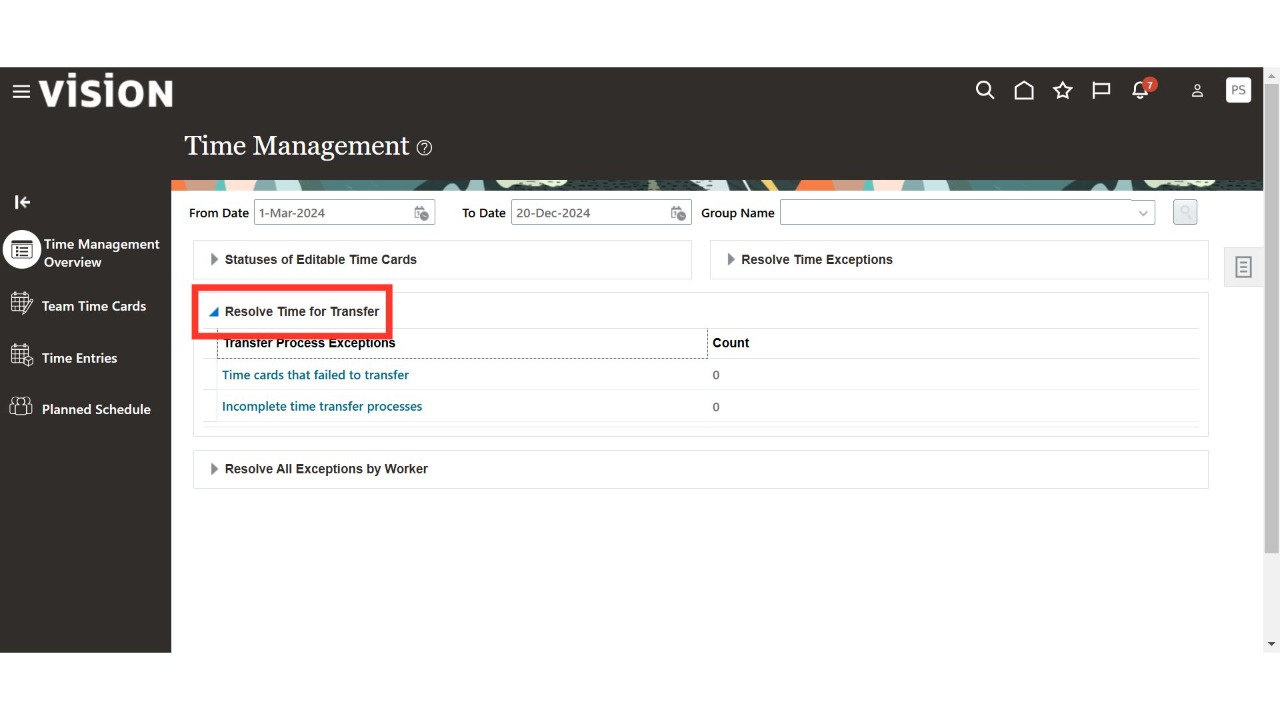
Review the count of Transfer Process Exceptions, including time cards that failed to transfer and incomplete time transfer processes.
Click on the hyperlink in the respective row to view the details.
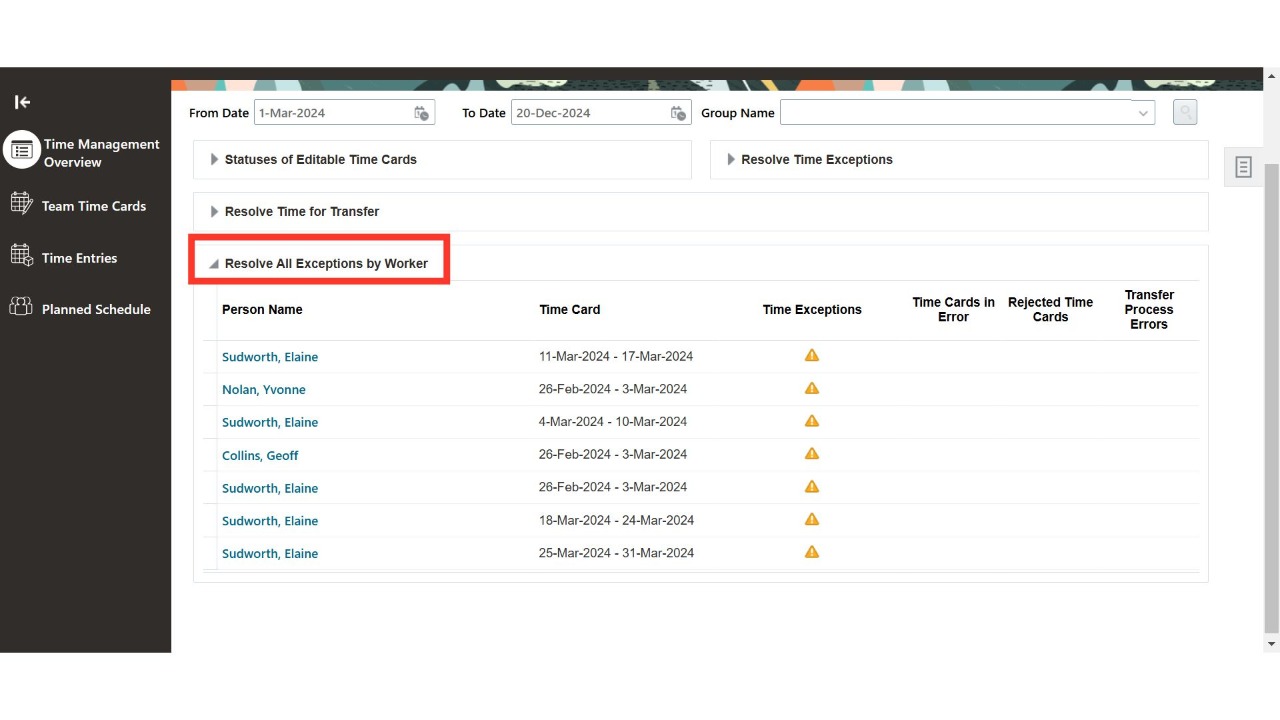
Review all worker-related exceptions, including Person Name, Time Card Period, Time Exceptions, Time Cards in Errors, Rejected Time Cards, and Transfer Process Errors. Click on the hyperlink in the respective row to view the details.
Thank You.