Introduction
Reviewing and submitting project hours is essential for accurate payroll and project tracking. This guide walks you through the process of managing time cards in Oracle Cloud efficiently.
This blog will take you through the steps to review and submit your project hours, offering clear and detailed instructions for a seamless process.
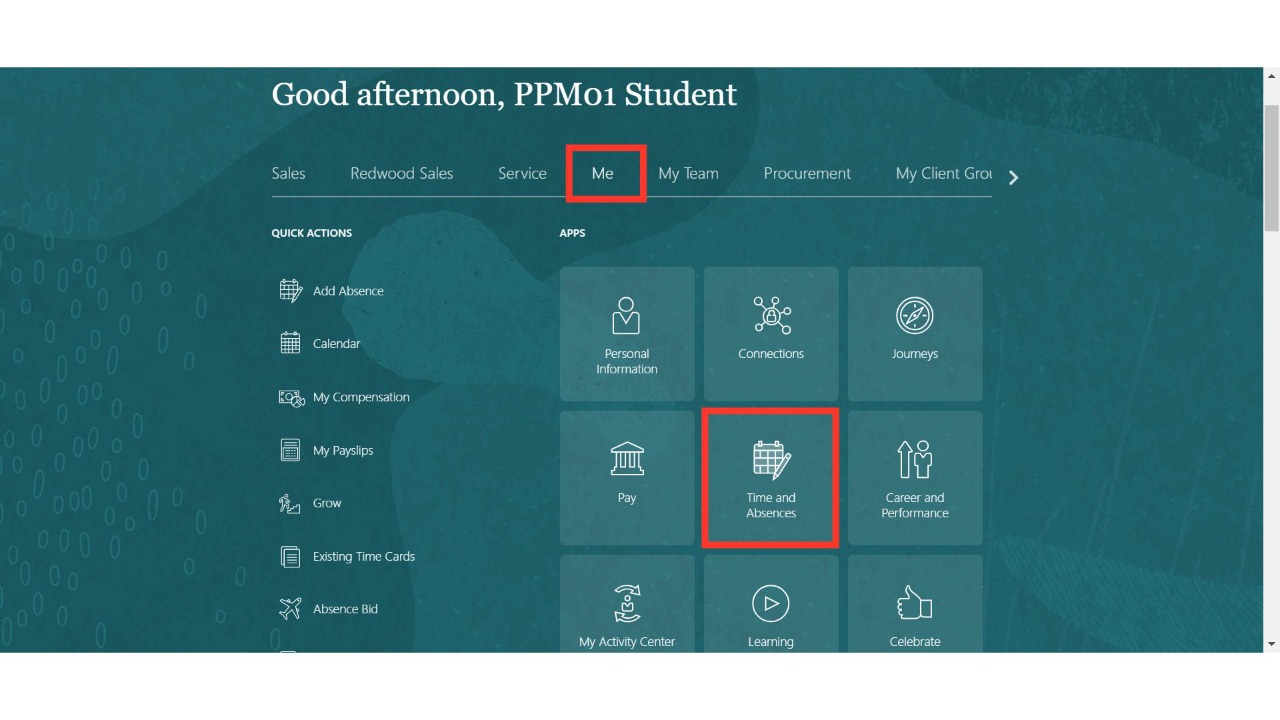
Navigate to the 'Time and Absences' sub-menu under the 'Me' menu on the Oracle Home page.
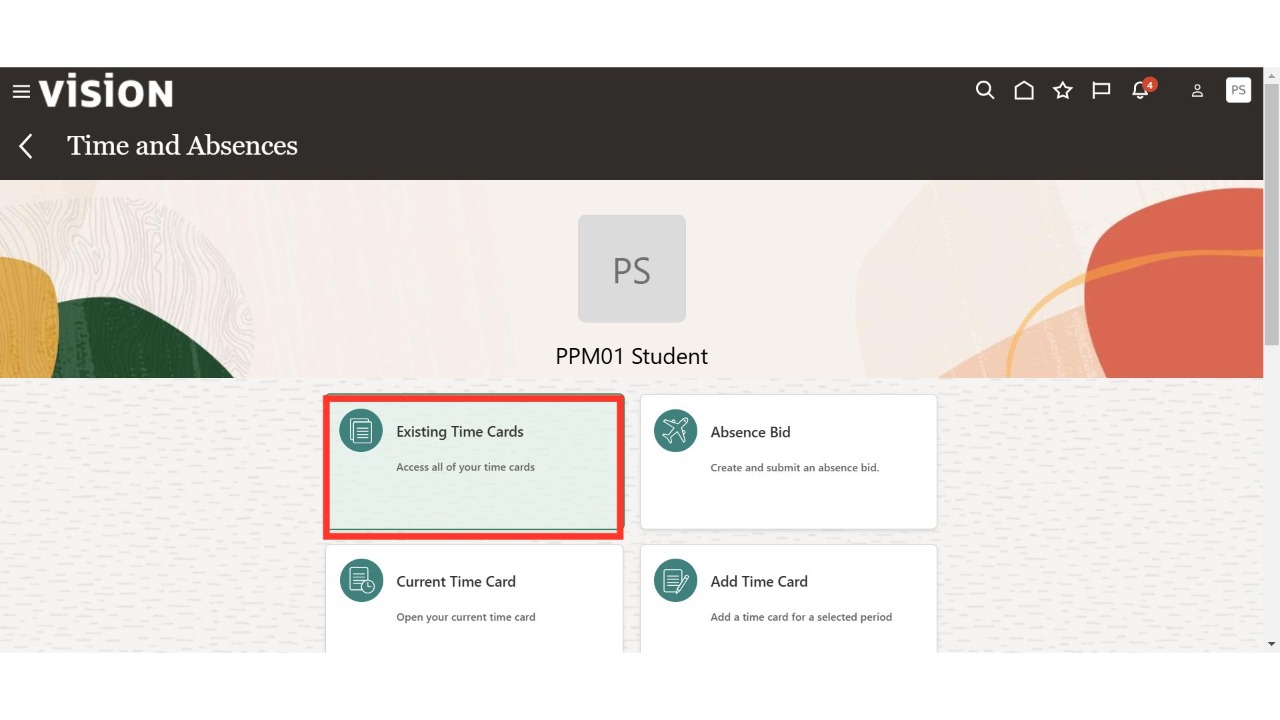
Click on the 'Existing Time Cards' section.
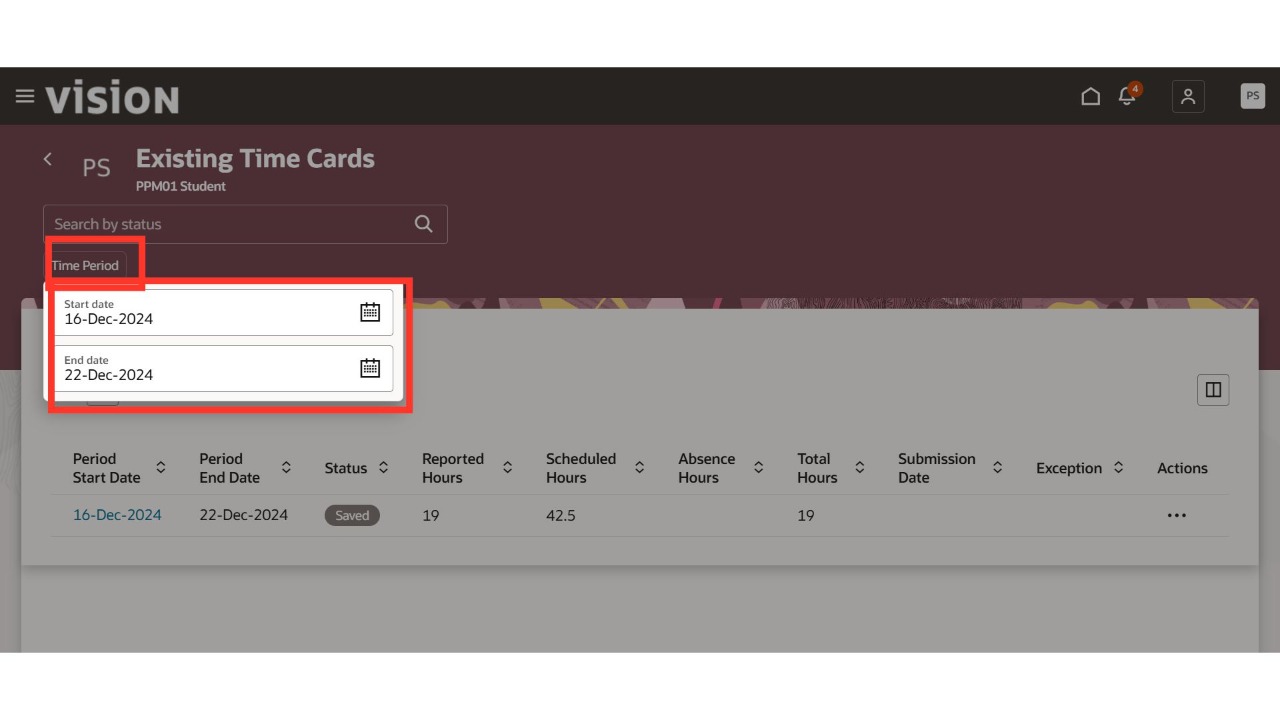
Select the 'Time Period' option and You can search the existing time cards with parameters such as From Date and To Date.
Select the timecard period you want to edit, review, or submit, and then click 'Search.'
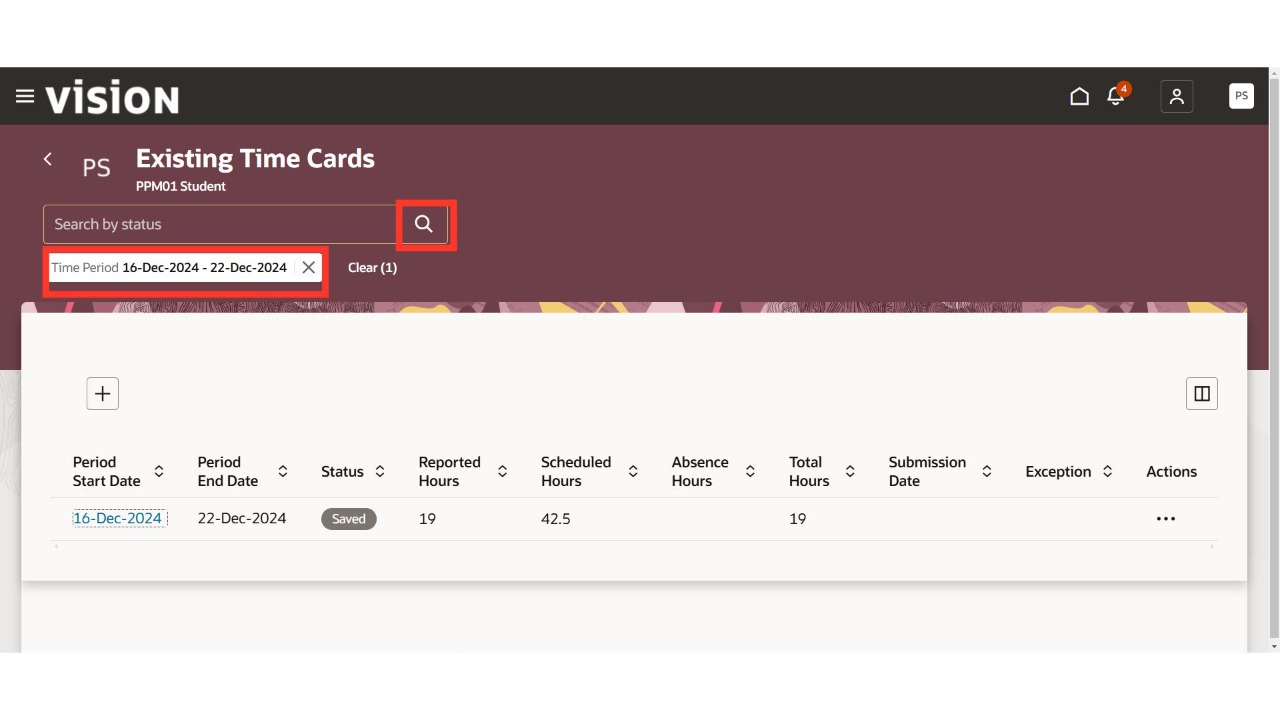
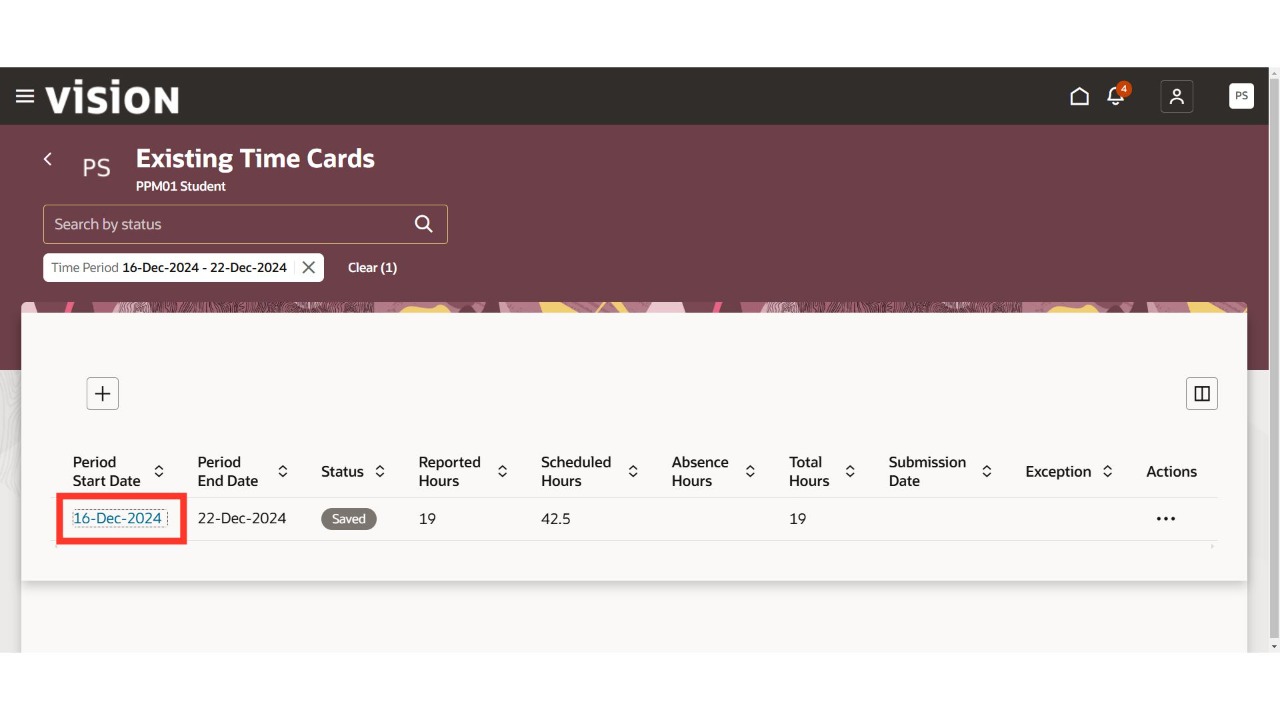
Oracle Cloud will display results based on the values entered in the search parameters. Click on the hyperlink for the period start date of the timecard you wish to edit, review, or submit.
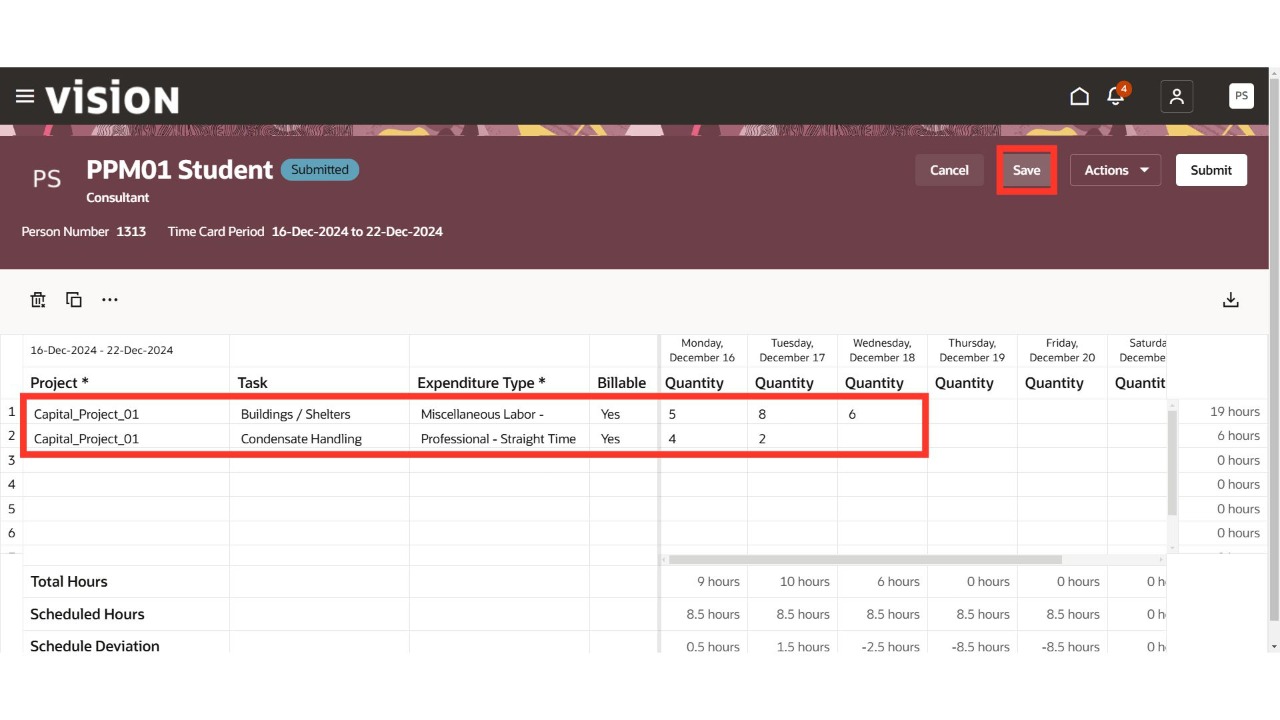
Select the projects and tasks, then enter or edit the hours worked for each project and task on the respective days and dates. Review the time entries and click 'Save.'
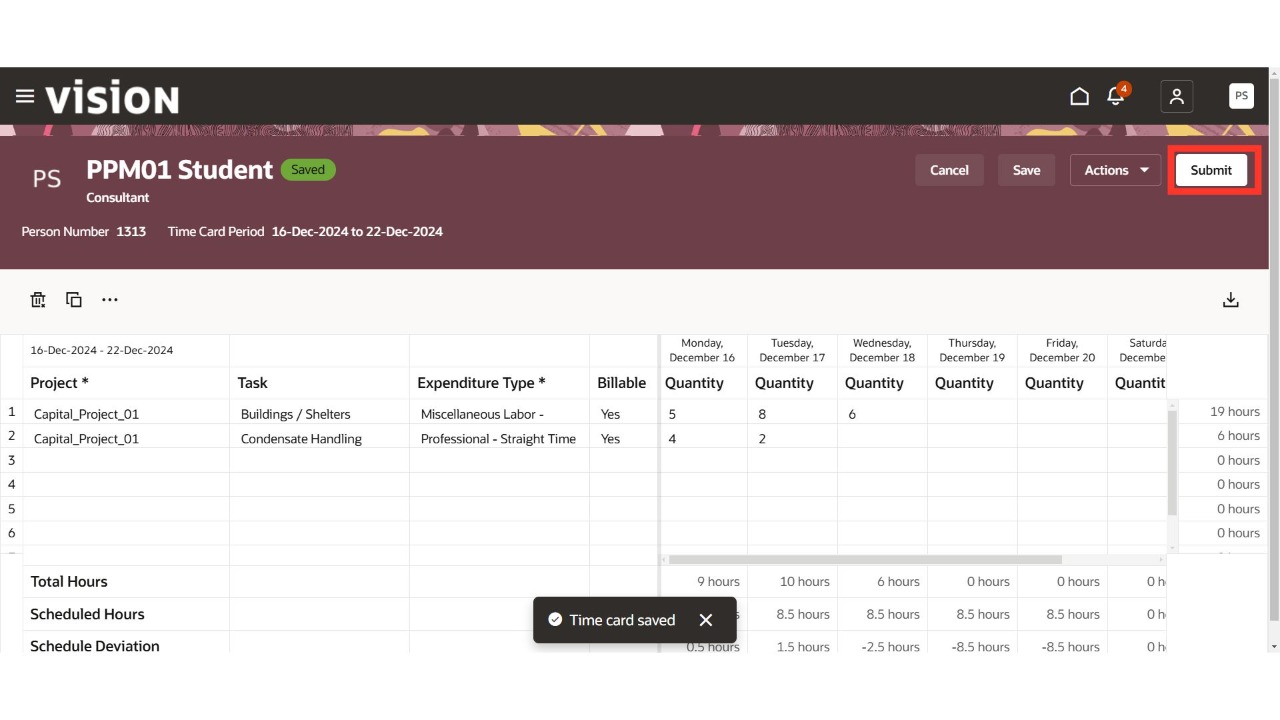
Click the 'Submit' button to submit the timecard entry for approval and complete the process.
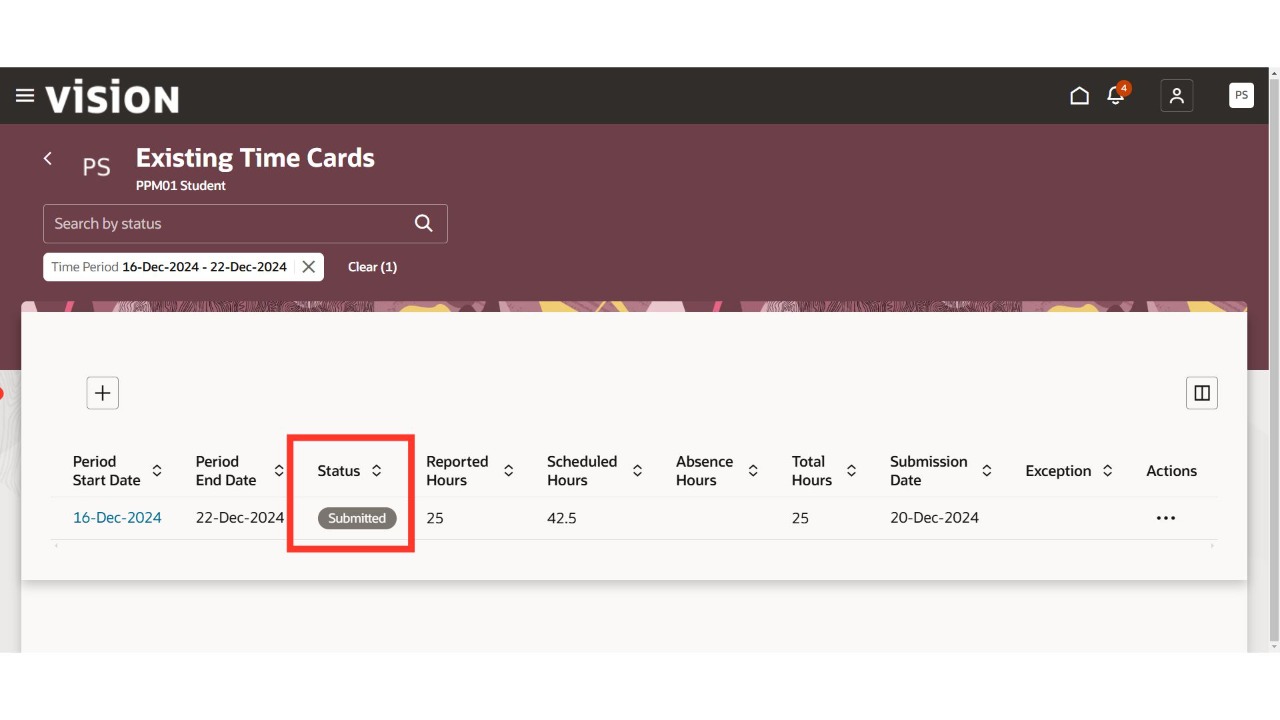
The timecard status will update to 'Submitted.' Click on 'Home' to finish the process.
Thank You.