Introduction
Effectively managing and reviewing allocation costs ensures accurate financial tracking in Oracle Cloud. This guide provides step-by-step instructions on how to search, refine, and review allocation cost transactions within the Project Costs section.
Here we will cover everything from accessing the Project Costs section to using advanced search criteria, helping you efficiently manage and review allocation costs.
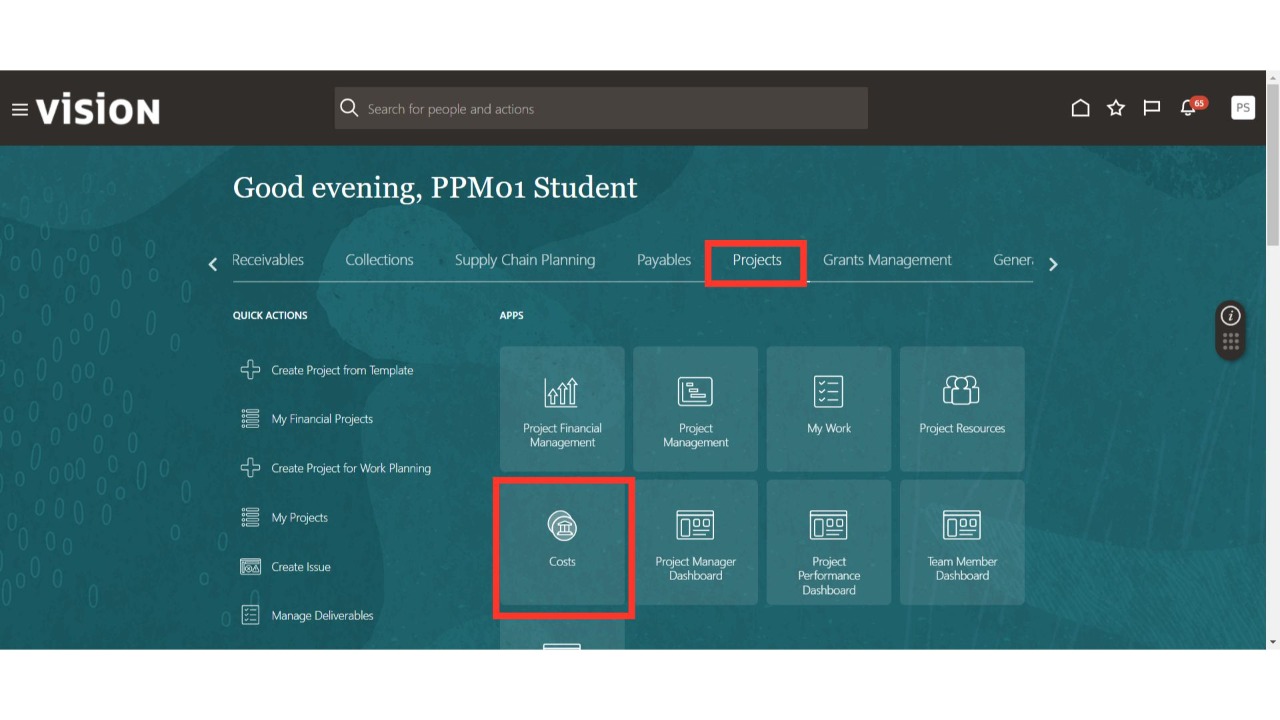
From the Oracle home page, click the 'Cost' sub-menu under the Projects menu.
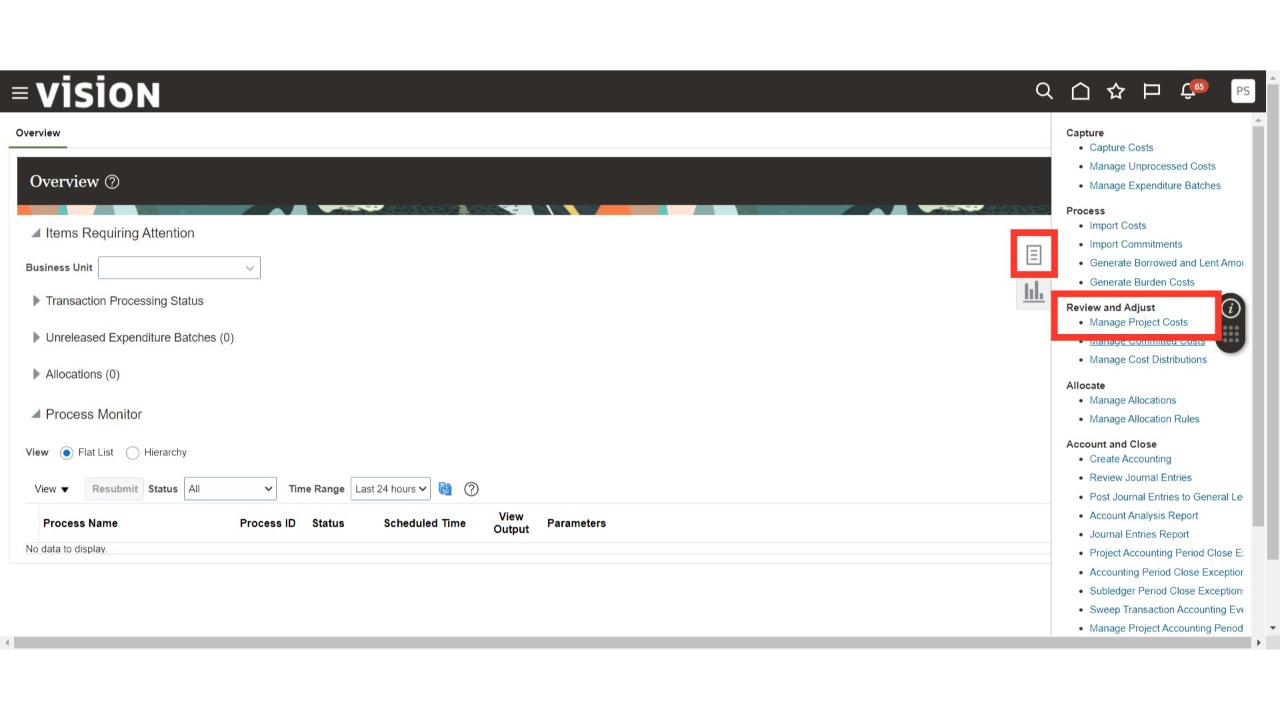
Navigate to 'Manage Project Costs' from the Task list.
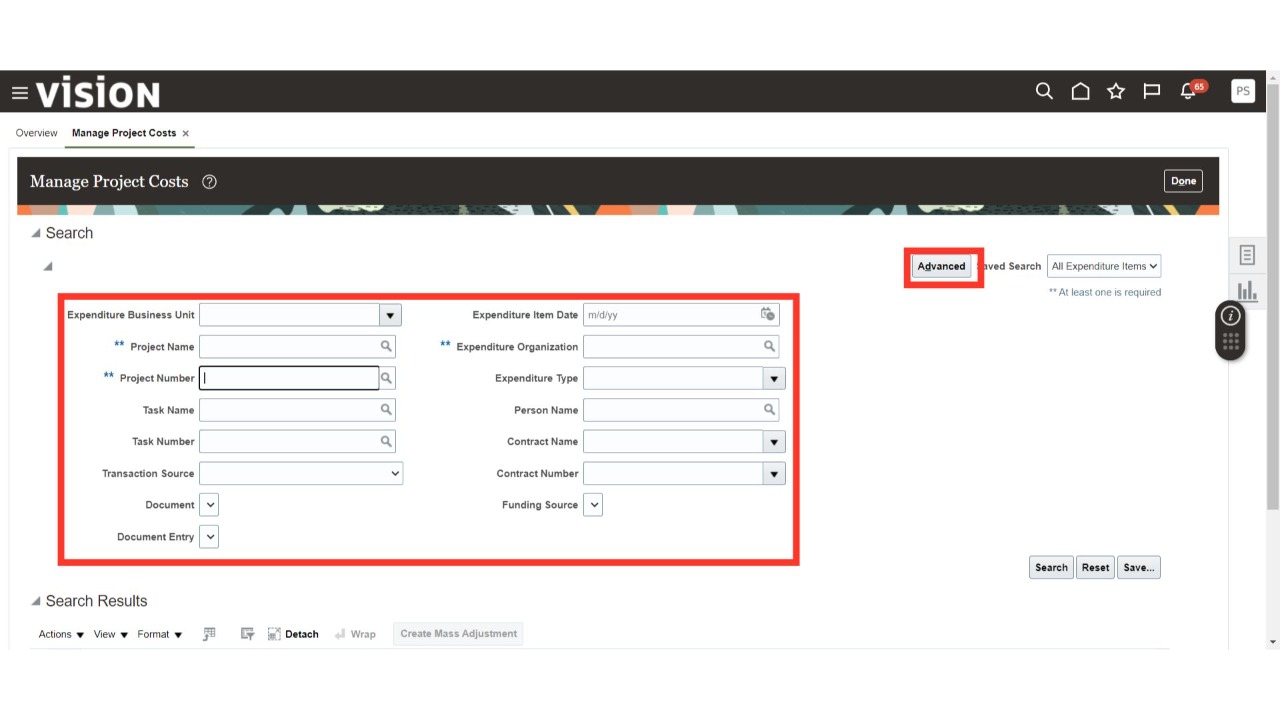
Search for the project cost using parameters such as Project Name, Number, Expenditure Organization etc. Refine your search further by using additional criteria like Expenditure Business Unit, Transaction Source, Expenditure Date, Expenditure Type etc. For more parameters, click on the 'Advance' button.
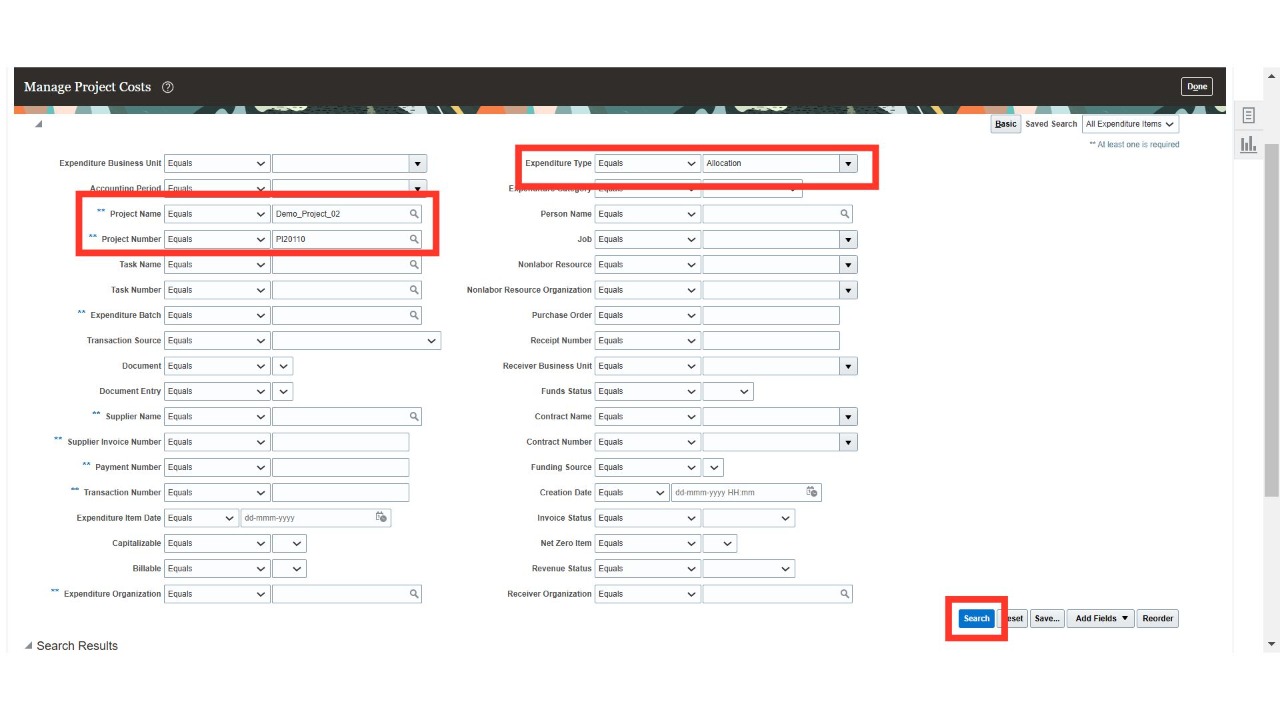
On the Advanced screen, enter the required details in the search parameters to inquire about the allocation cost. For more search options, select the 'Advanced' option. To filter allocation cost transactions, set the Expenditure Type to 'Allocation' and click 'Search.'
A table will appear showing all allocation cost transactions of the selected project.
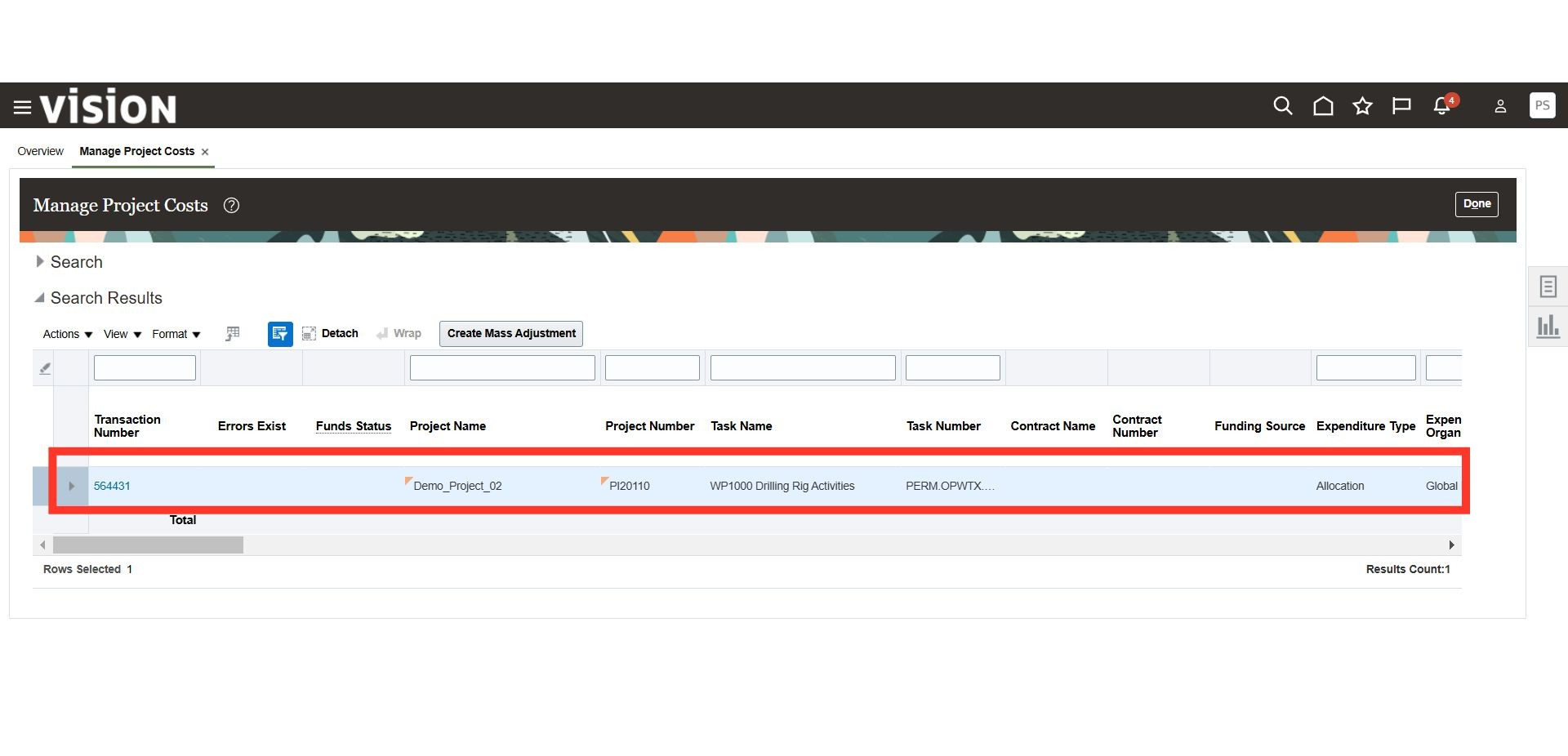
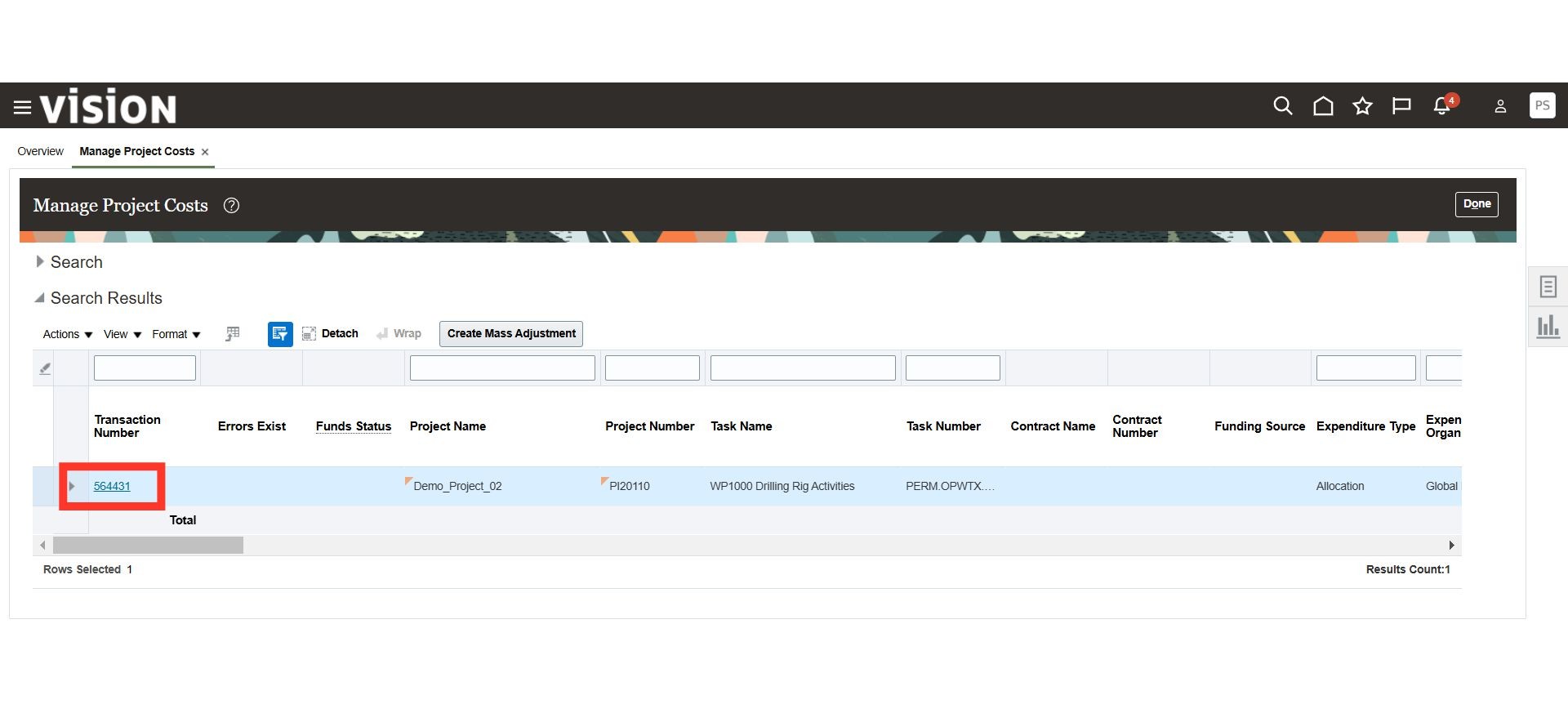
Review the allocated cost by selecting the cost transaction line you wish to examine. Click on the transaction number hyperlink to view more details.
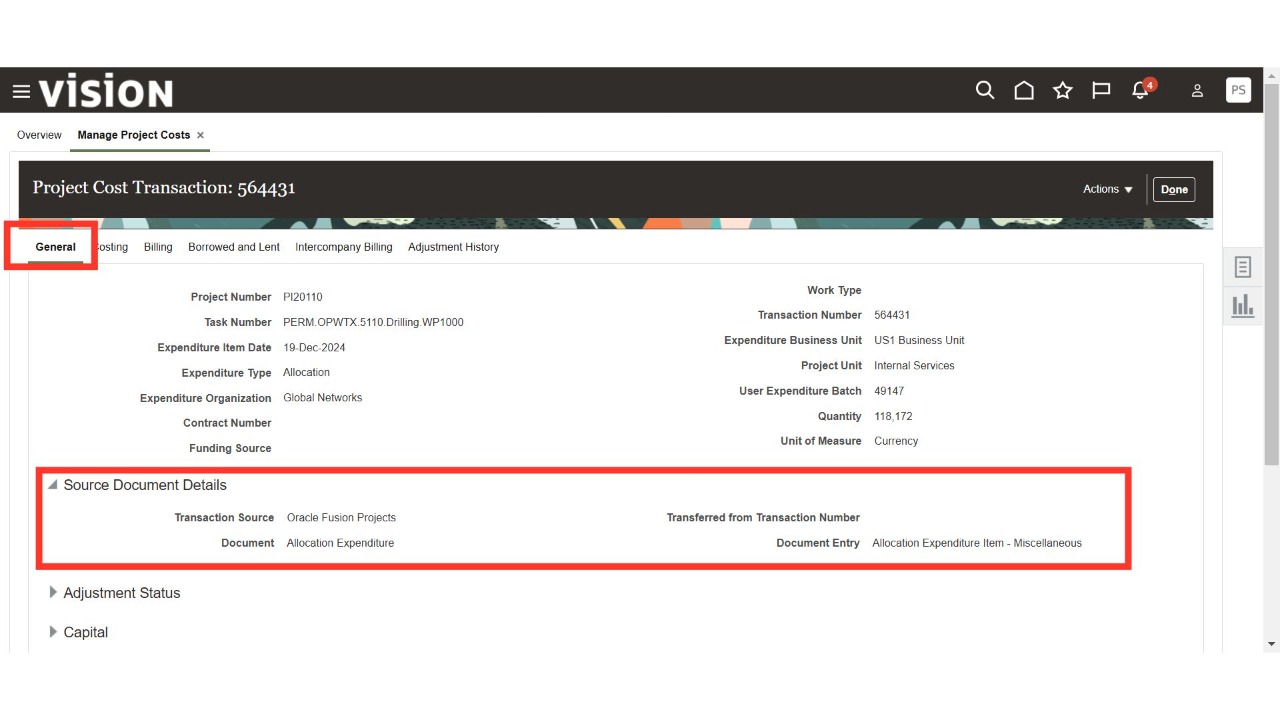
Navigate to the General tab to view the transaction source document from the allocation expenditure and review the other tabs.
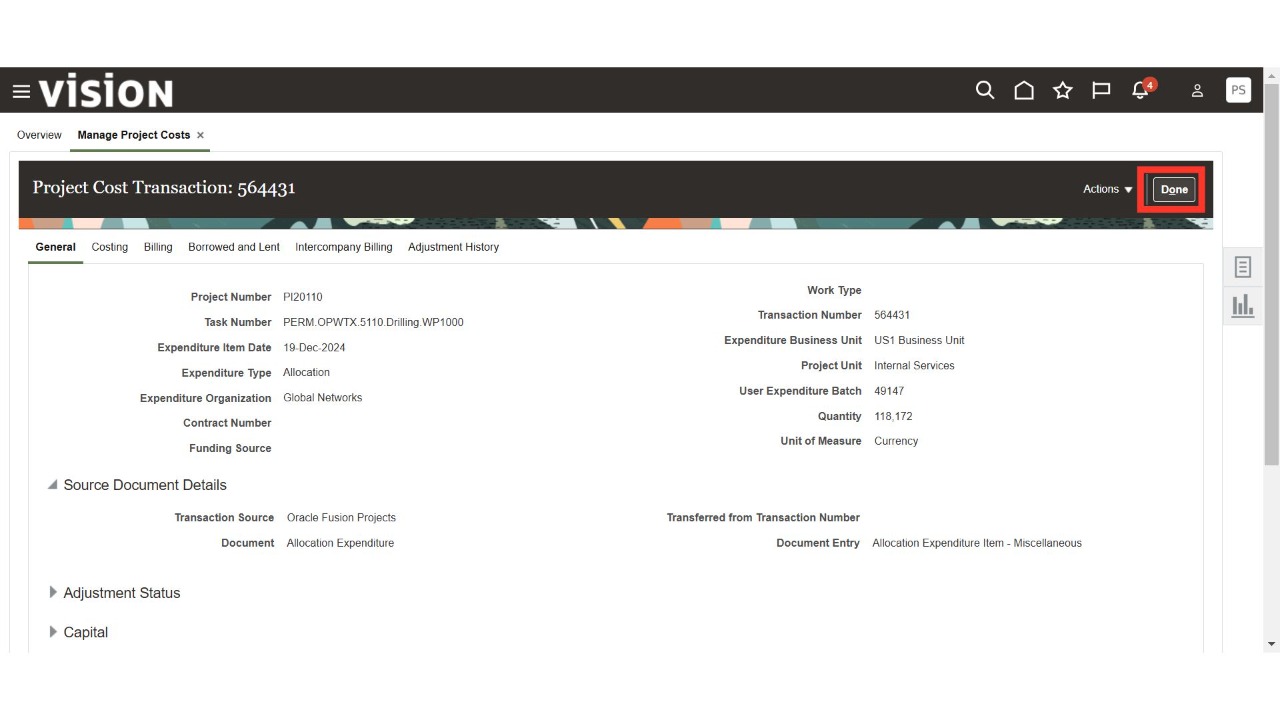
Click 'Done' to complete the process.
Thank You.