Introduction
Approving time cards is a crucial responsibility for managers to ensure accurate payroll processing and compliance. This guide provides a step-by-step process for managers to efficiently review and approve time cards in Oracle Cloud.
This Blog will walk you through the steps for managers to approve time cards, providing clear and detailed instructions to ensure a smooth approval process.
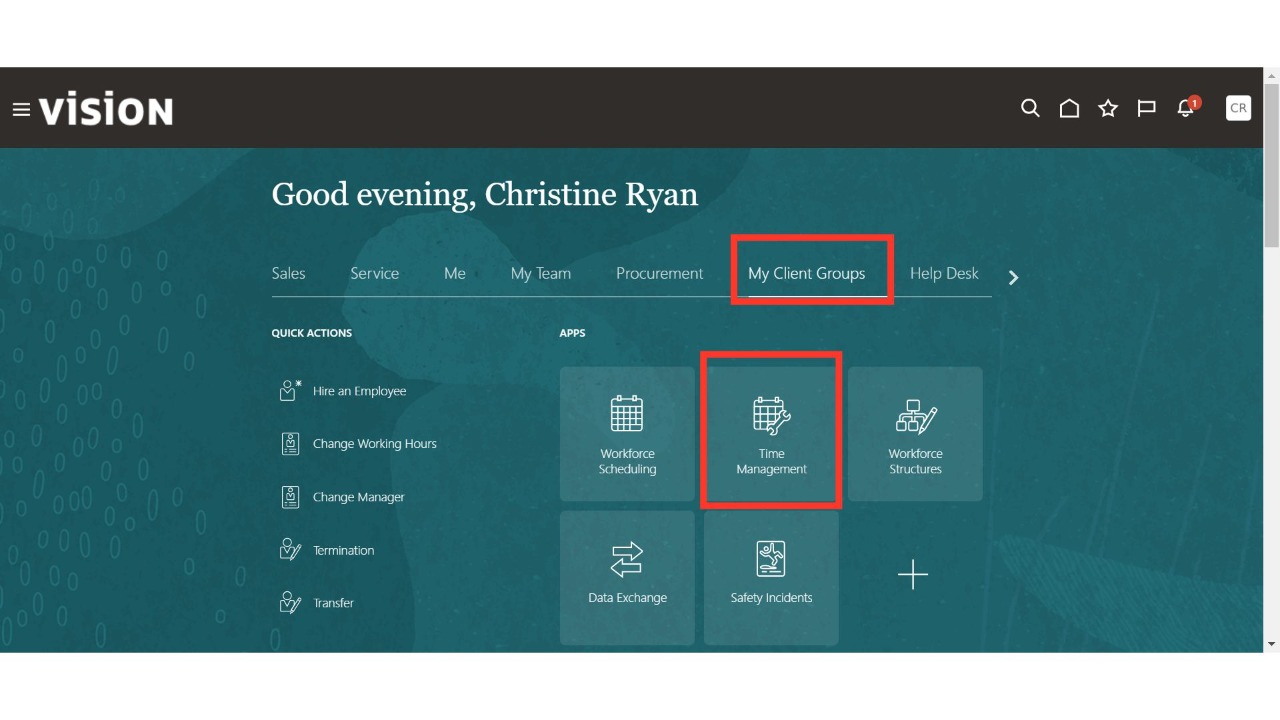
Navigate to the Time Management sub-menu available under the My Client Group menu on the Oracle home page.
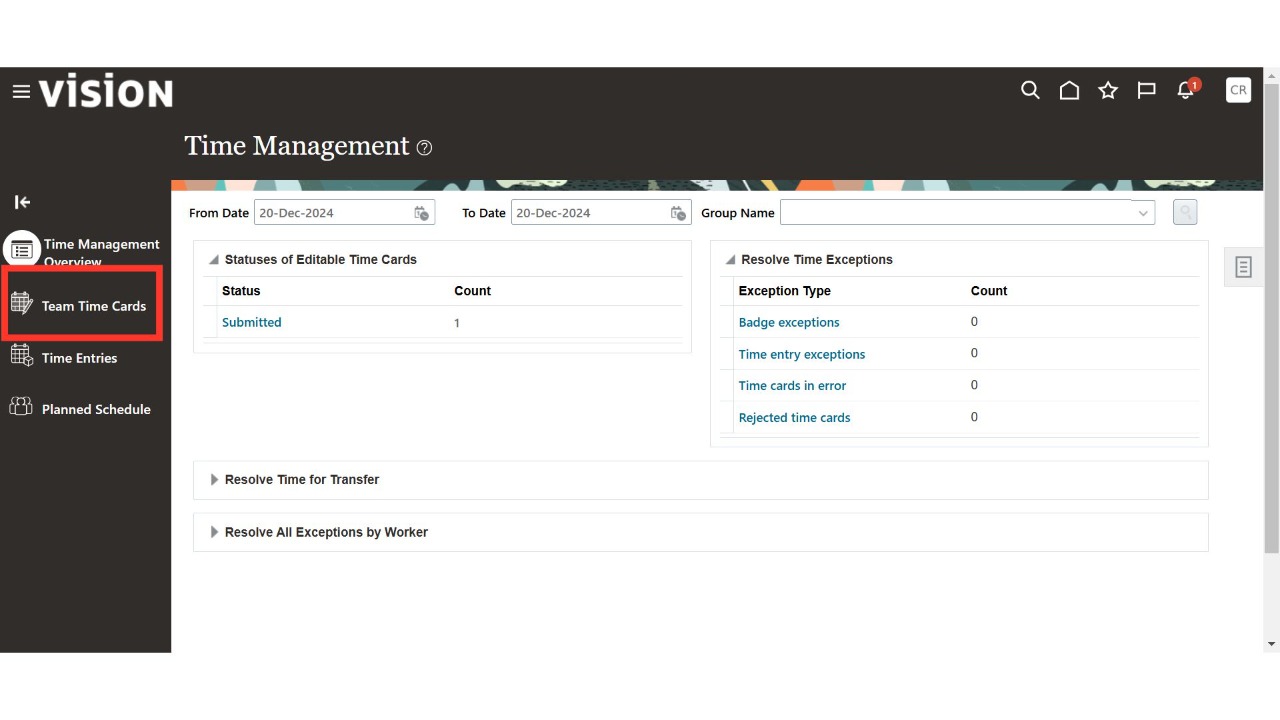
Click on the Team Time Cards section from left-hand side.
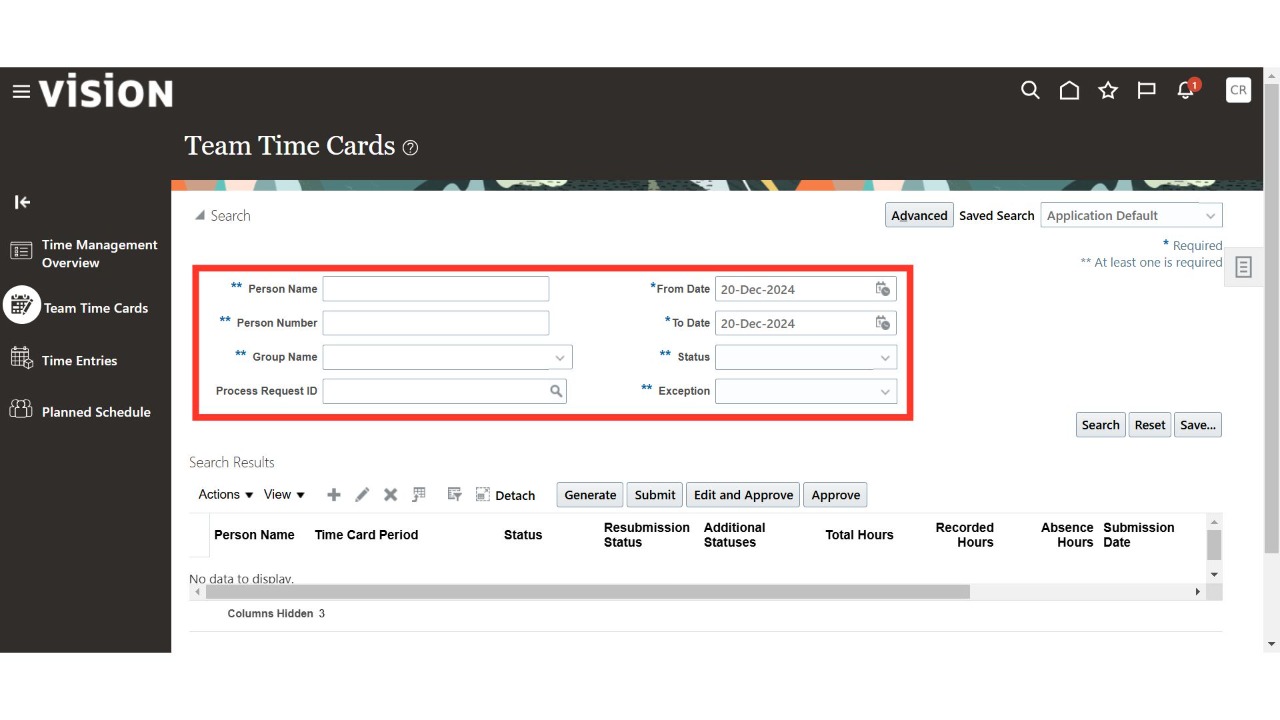
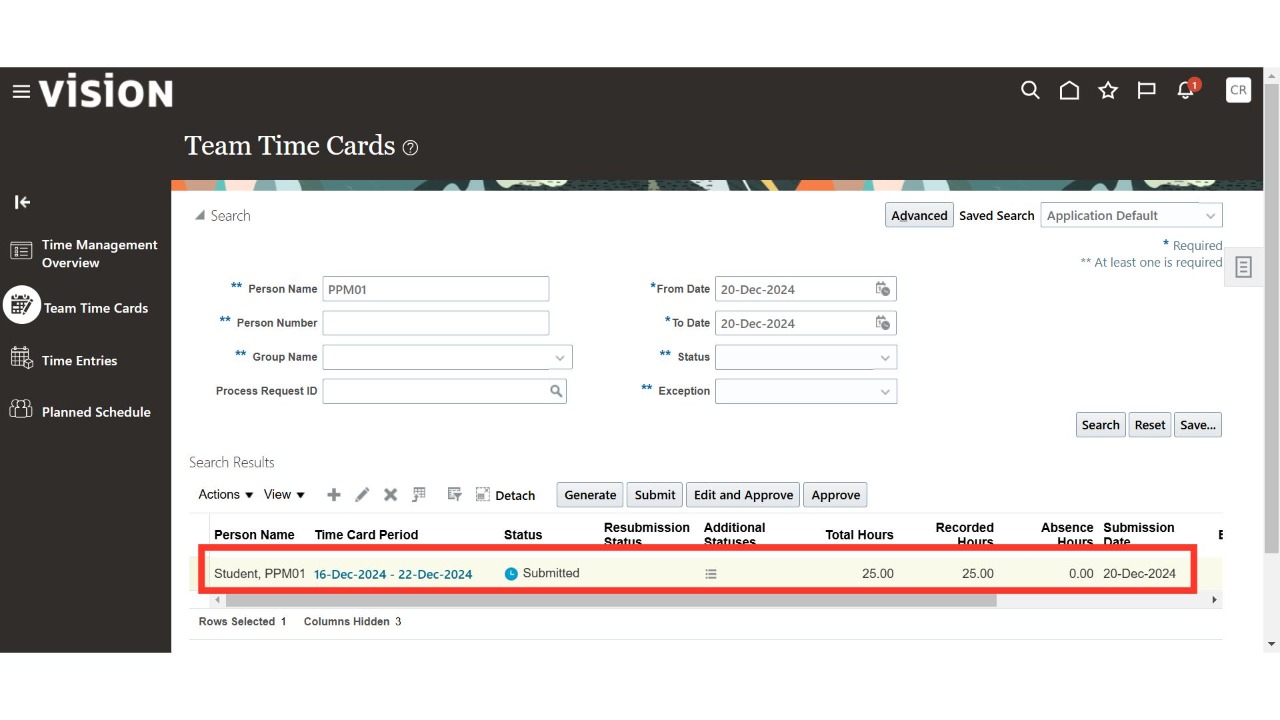
Search for your team's time cards using parameters such as Person Name, Person Number, From Date, To Date, or Status.
Enter the required values in the search parameters and click on Search.
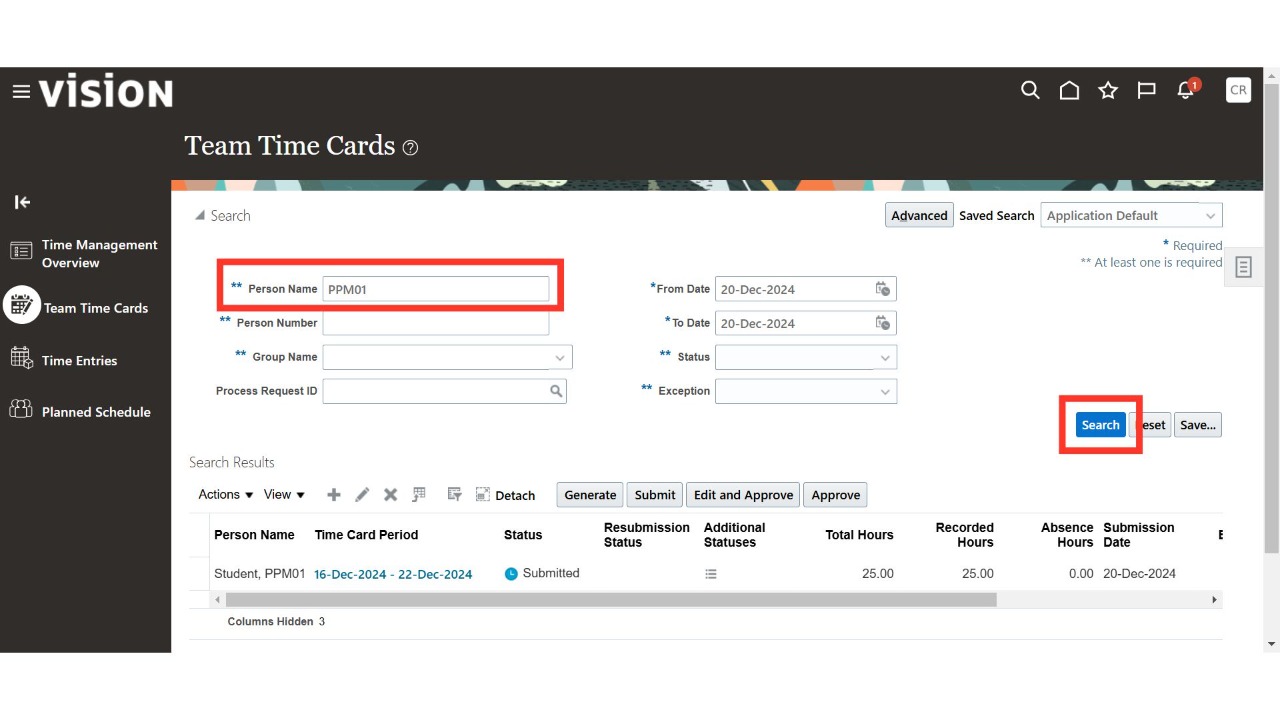
Oracle Cloud will display the results based on the values entered in the search parameters.
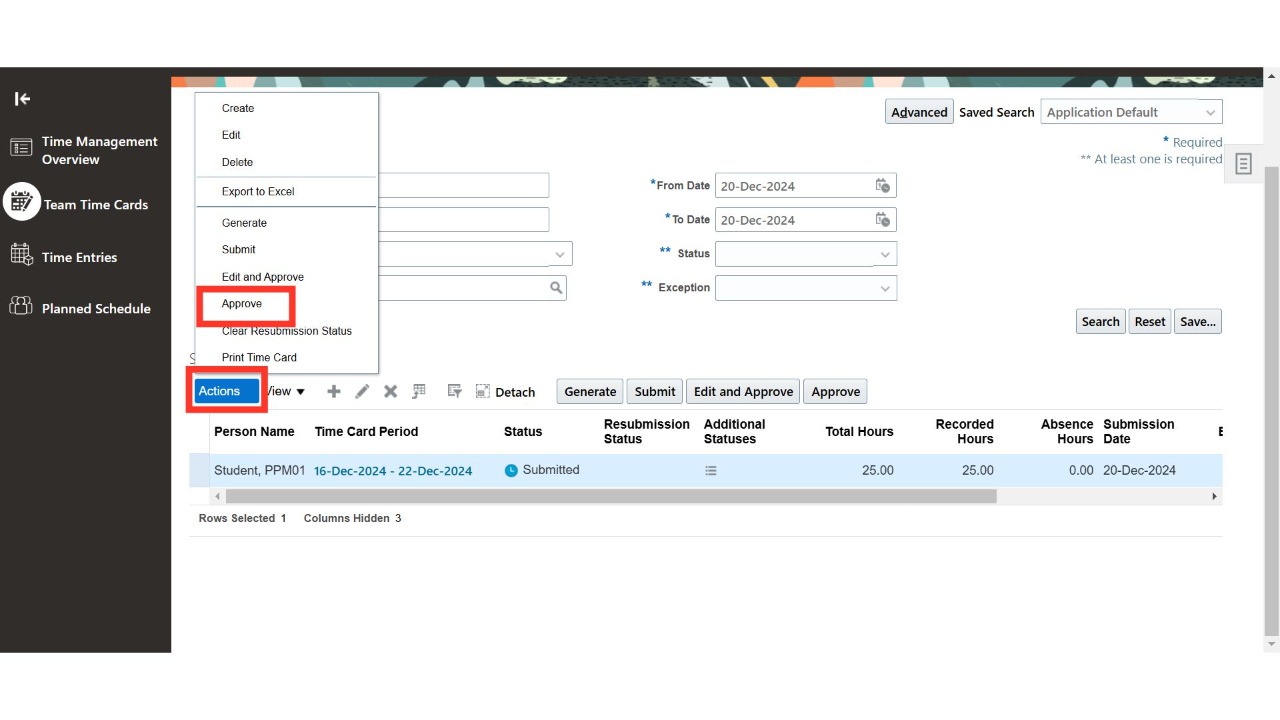
There are two options to approve a time card. The first option is to select the relevant time card and click on the Approve button from the Actions drop-down menu.
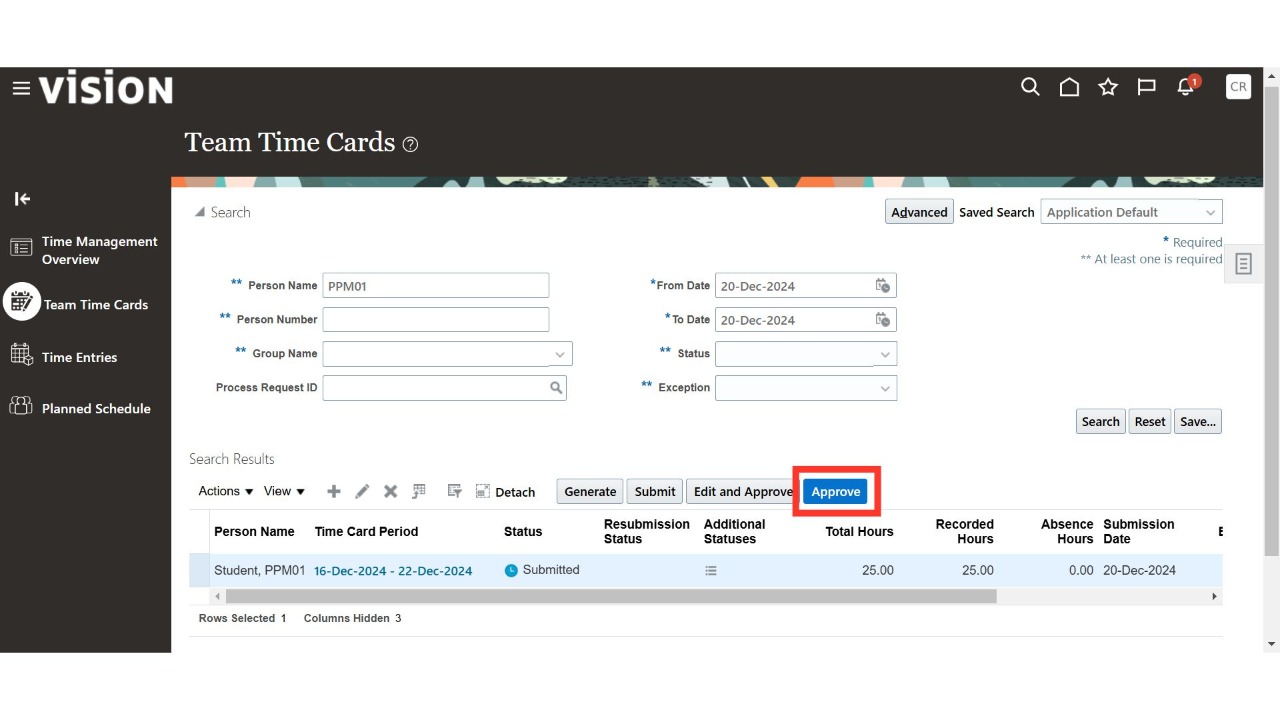
The second option is to select the relevant time card and click on the Approve button directly to approve it.
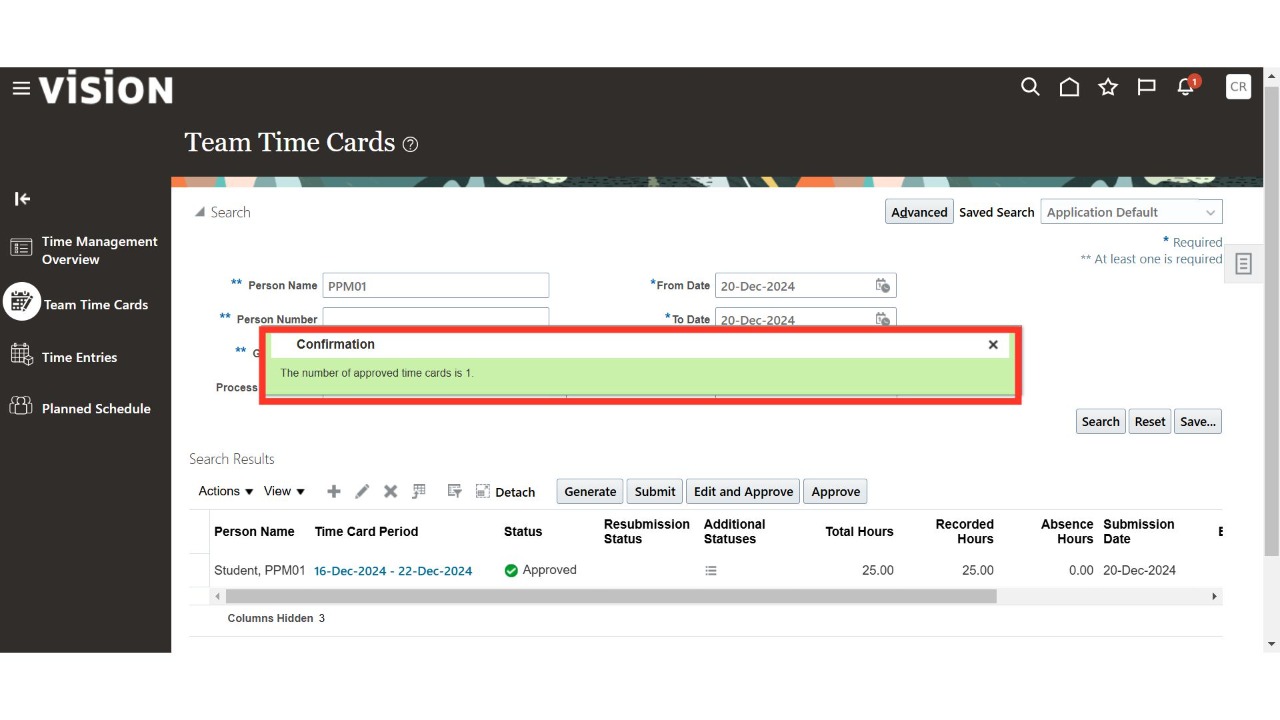
Once approved, Oracle Cloud will display a confirmation message. Click on Close and then return to the Oracle home page to complete the process.
Thank You.